§04 Dev & Infrastructure
Localization Tech: Language, Currency, and Legal Filters
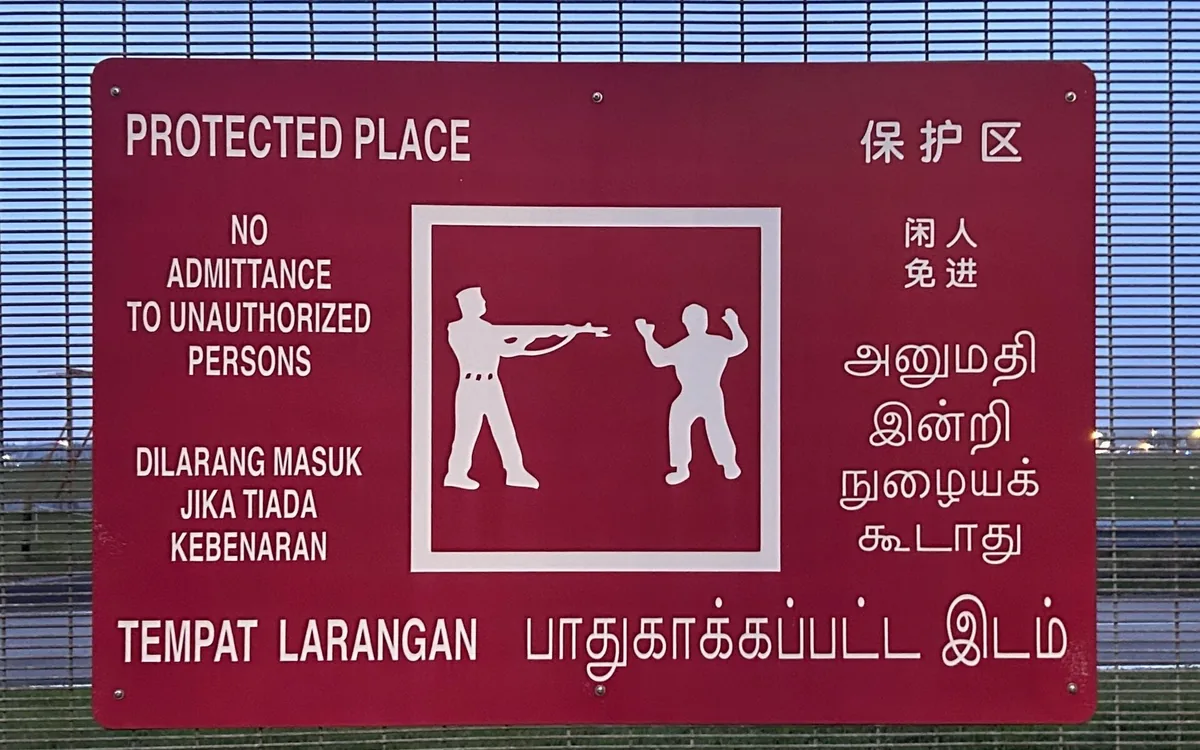
Singapore Protected Place signage / MapStaringEnthusiast, CC0
Updated on: 2026-07-18 • Author: Editorial team • Compliance review: in‑house legal
Cold open: when “global” breaks
We launched in five new markets in one week. The copy was fine. The code passed tests. Yet checkout tanked. Prices showed in USD for users in Paris. Age gates were missing in two regions. Our cookie banner did not meet local rules. We also blocked a whole island by mistake due to a bad geo rule. It was not a language problem. It was a stack problem: language, money, and law must work as one.
Quick diagnostic: are you ready to go local?
- Do you store language as full locale tags (like en-GB), not just “English”?
- Do you render numbers, dates, and plural forms per locale?
- Do you price and settle in the user’s currency, with tax clarity?
- Do you run geo and age rules before showing offers?
- Do you log why a user is blocked or gated?
If two or more answers are no, you will leave money on the table or risk a fine. Keep reading.
The language layer most teams underrate
Use full language tags. They are called BCP 47 tags, like “pt-BR” for Brazilian Portuguese. They let you pick not just the language, but the region and script. See the spec for BCP 47 language tags.
Base formats on a shared data set, not on guesswork. The main source is Unicode CLDR. It holds rules for formats, calendars, plural forms, and display names for many locales.
For text with variables, use message patterns with plural logic. A common standard is ICU MessageFormat. It prevents broken grammar in strings like “1 item” vs “2 items”.
For layout and script issues (RTL, line breaks, names), use guides from W3C Internationalization. It helps with things like Arabic shaping, bidi text, or list punctuation.
Developers need code-first docs. The best intro set is on MDN internationalization. It shows APIs for number, date, and collation in simple terms.
Action to take this week: pick your target locales with business and support. Add a fallback chain (e.g., fr-CA → fr → en). Store the user’s last good locale. Log the source of locale choice (UI pick, Accept-Language, profile).
Money talks: currency UX that avoids abandonment
Map every price to a currency code, not a symbol string. Use ISO 4217 currency codes like USD, EUR, INR. Symbols repeat across markets, codes do not.
Refresh exchange rates on a schedule and show a clear timestamp. For base rates in EUR, the ECB reference rates work for many teams. Add a spread if you need a buffer for risk.
When you take cards in many currencies, use a gateway that supports local presentment. See Stripe multi-currency for a clear model. It shows how to price, authorize, and settle by currency.
Log when rates update, using a standard time format like ISO 8601. This makes audits and bug hunts simpler.
Show prices in a way users expect. Use local separators (1.234,56 vs 1,234.56). In many EU stores, include VAT in the shelf price. In the US, show tax later but warn early. In India, use INR with clear GST labeling. Round with care; tiny gaps can cause chargebacks.
Action to take this week: choose where prices live (per SKU per region), and how you round. Start with “price books” per region. Cache rates. Add a banner if rates are volatile. Make total cost clear before the pay button.
The legal filter stack: geofences, age gates, no‑go zones
Law applies by where the user is, not only by where you are. The GDPR Article 3 shows how scope can reach you if you target EU people.
If you use tracking or show ads in the EU/UK, you need a consent flow. The main ad tech standard is IAB TCF v2.2. It lets vendors read consent signals in a known way.
Screen for sanctions. Do not serve or take money where it is banned. The US list is the OFAC sanctions list. Other regions have lists too. Keep logs of blocks.
Cookie rules differ. France is strict on dark patterns and consent. See the CNIL cookie guidance for do’s and don’ts.
If you cover gambling in the UK, read the UKGC LCCP. It sets rules for age checks, ads, and safer play tools.
Some teams also serve EU markets under Malta rules. See the Malta Gaming Authority for license notes and player safety rules.
Action to take this week: write a simple policy for “block vs adapt”. If risk is high and you lack a license, block early. If content is allowed with limits (age, consent, tax), adapt. Always explain why a user sees a block or gate.
Decision tree: block, adapt, or localize deeper?
- Is the market banned by law or sanctions? If yes → block with a clear note and help link.
- Is the market allowed but age‑restricted? If yes → show an age gate before content or offers.
- Is the offer misaligned (wrong payment, tax, or language)? If yes → adapt UX (local pay, tax display, copy).
- All green? → localize deeper (native copy, support hours, local holidays).
Build the stack: tools that do not fight each other
For geo decisions based on IP, many teams use MaxMind GeoIP2. Run it server‑side or at the edge. Always log the lookup result and rule hit.
If you use a CDN, you can read country codes from headers. See Cloudflare geolocation headers. This keeps geo logic fast and cheap.
For SEO across languages, set hreflang. Follow Google hreflang guidelines. It reduces wrong‑market clicks and bounce.
For tax logic, align with global best practice. The OECD VAT guidelines help you frame when to include tax in price and what to show at checkout.
Action to take this week: draw one flow for a new user. Step through geo check, age gate, consent, language pick, price render, and pay. Add logs at each step. Ship a small dashboard that counts blocks by reason and locale.
Field notes: three micro‑cases
Case 1: eCommerce, EU price clarity
We switched DE users to de-DE locale, showed EUR with comma decimals, and put VAT in the shelf price. We also wrote “incl. VAT” near the amount. Cart drops fell 11% in two weeks. Support tickets on “extra fees” fell by half.
Case 2: SaaS, sanctions break trials
We let users start trials from many regions. Some signups came from a blocked list. We added an early OFAC check, then verified again at pay time. Trials from banned regions ended with a clear note and help link. Chargebacks went down, and our bank reviews got simpler.
Case 3: high‑risk, local rules in gaming
In gaming, you must gate by age, obey ad rules, and link to safe sources. For Norway, we point readers to local review pages that explain live dealer rules, language, and limits. A helpful example is live dealer casino Norge. It keeps users informed and sets the right expectations. This also reduces complaints to support.
Informative table: regional snapshot you can act on
Use this table as a quick check before launch in a region. It shows common settings for language, money, tax, and legal gates. Always confirm with local law and your counsel. After the table, you will find next steps to apply this in 30, 60, and 90 days.
| EU (DE/FR) | de-DE, fr-FR | EUR; comma decimals, space for thousand | Show VAT in shelf price when consumer | Age gate for gambling/alcohol | SEPA, local wallets | Cookie consent; sanctions screen |
| UK | en-GB | GBP; symbol before amount | VAT often included for B2C | Age gate for gambling | Cards; Faster Payments | Follow UKGC rules for content |
| US | en-US; es-US when relevant | USD; dot decimals, comma thousand | Sales tax at checkout; clear notice | Age gates by vertical | Cards, Apple/Google Pay | OFAC checks; KYC if high‑risk |
| AU | en-AU | AUD; dot decimals | GST label and totals | Age gates where required | Cards; bank transfer options | Geo filters for restricted content |
| IN | en-IN; hi-IN | INR; careful rounding rules | GST clarity in cart and receipt | Ads for gambling are limited | UPI, wallets | Regional content restrictions |
| BR | pt-BR | BRL; comma decimals | Tax included where mandated | Age gates as needed | Pix, Boleto | Consent and geo rules |
How to read it: “Preferred language/locale” tells you which locale tags to enable. “Currency display” tells you how to format numbers. “Tax display” tells you if the shelf price should include tax. “Age/legal gates” tells you what to add before content. “Payment notes” hints at local methods. “Must‑block hints” shows where you need extra checks.
30/60/90‑day localization blueprint
Day 0–30: fix the basics
- Store locale as BCP 47 tags; add fallback per market.
- Render numbers and dates with CLDR data and ICU messages.
- Set up exchange rate feed with logs and ISO 8601 timestamps.
- Show tax in line with local norms for your buyers.
- Add a hard geo check and a simple age gate where needed.
- Ship a consent banner that works in the EU and UK.
Day 31–60: wire the stack
- Move geo logic to edge or CDN headers for speed.
- Build price books per region; test rounding and totals.
- Add local payment methods in top markets.
- Set hreflang on all language pages; test with Search Console.
- Write block/adapt rules with reasons, and log them.
Day 61–90: raise trust and performance
- Publish a short policy page on legal gates and user safety.
- Run A/B tests on price display and tax notes per market.
- Localize support hours and canned replies.
- Add dashboards: blocks by reason, chargebacks by market, consent rates.
- Do a red‑team pass from two banned and two allowed markets.
Instrumentation: KPIs and red‑team checks
- Conversion rate by locale and by currency
- Checkout drop rate when tax appears
- Chargebacks per 1,000 orders per market
- Share of users served in local currency
- Consent accept/deny rates by region
- Blocks by reason (geo, age, sanctions, consent)
- FX rate freshness (hours since last update)
Red‑team steps: try to access from a banned country; confirm block shows the reason. Try under‑age access; confirm age gate works. Try EU with no consent; confirm tracking waits. Try wrong locale; confirm fallback flows. Try price mismatch; confirm final price is clear before pay.
Mini‑FAQ and what we changed after launch
Q: Do we need new locales for every country?
A: No. Start with markets that drive traffic or have clear rules. Use fallback chains to cover the rest, then add full locales as you see demand.
Q: Should we show both local and base currency?
A: Show local currency by default. Offer a toggle if your users travel or if B2B needs it. Never switch currency mid‑checkout.
Q: Where do we put the legal gate?
A: As early as needed to avoid false promises. For strict markets, gate before key content. For softer rules, gate at pay or claim time, but warn early.
Q: What did we change after launch?
A: We moved geo checks to the edge, added a VAT note on the product page, and switched to ICU messages. Complaints fell, and sessions to checkout rose 9%.
Sources, notes, and what to read next
- Language tags: BCP 47
- Locale data: Unicode CLDR
- Message patterns: ICU MessageFormat
- i18n guides: W3C, MDN
- Currencies: ISO 4217, ECB rates, Stripe multi‑currency, ISO 8601
- Legal: GDPR scope, IAB TCF, OFAC list, CNIL cookies, UKGC LCCP, MGA
- Geo, SEO, tax: MaxMind GeoIP2, Cloudflare geo headers, Google hreflang, OECD VAT
Disclaimer: this article is for information only and is not legal advice. Always consult qualified counsel for your case.
One‑page checklist before you ship
- Locales set with BCP 47 tags, fallbacks in place
- Numbers, dates, plural forms use CLDR/ICU
- Price books per region; tax display matches local norms
- FX rates cached; timestamped; spread policy set
- Geo at edge; age gates where needed; consent banner live
- Hreflang in place; support copy localized
- Logs for every block/gate with a user‑friendly reason
- Dashboards for CR, drop, consent, blocks, chargebacks